Your first API Request
Enable API access on your account and make a successful API request.
Enable API Access
- Start by visiting API Access in settings
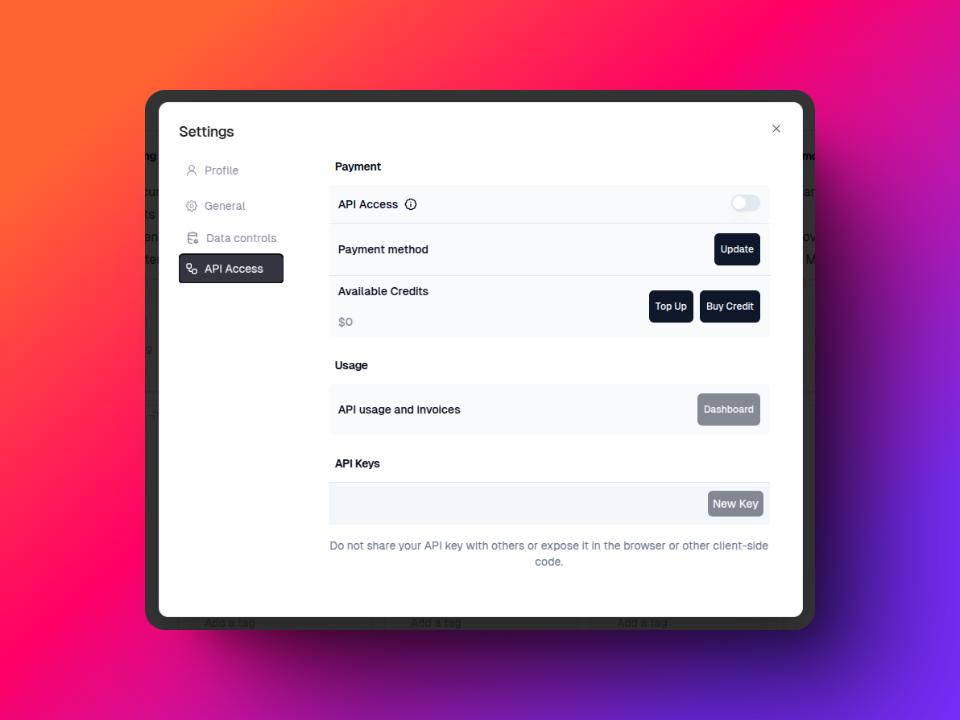
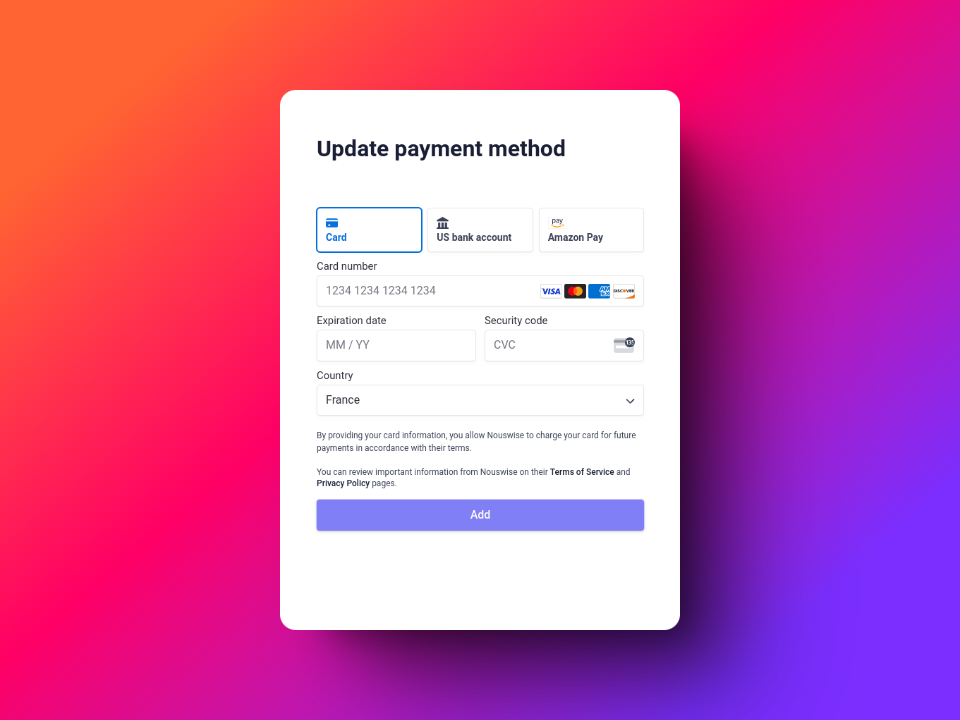
- Add a default payment mehtod through the Stripe dashbaord if you haven't
This step will not charge your credit card. It just stores payment information for later API usage.
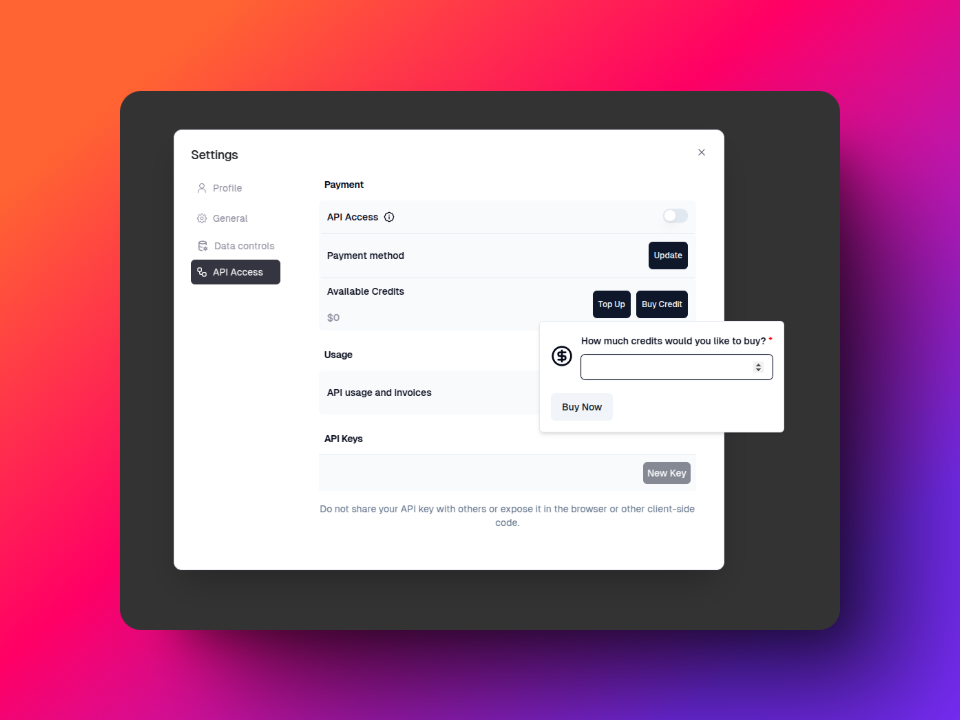
- Add Credits
When your credit runs out, your API Access will be blocked untill the balance recovers. You can avoid this by configuring “Automatic Top Up”, which recovers your balance whenever you drop below $2.
- Generate an API key
Send the API key as a bearer token in the Authorization header with each API request.
- Make your API call
The API is conveniently OpenAI client-compatible for easy integration with existing applications.
curl
curl --request POST \
  --url https://api.nouswise.ai/v1/chat/completions \
  --header 'Authorization: Bearer <API_KEY>' \
  --header 'Content-Type: application/json' \
  --data '{
  "stream": true,
  "projectId": "<PROJECT_ID>",
  "model": "standard",
  "messages": [
    {
      "role": "user",
      "content": "What accuracy improvements were observed with the research?"
    }
  ]
}'
python
import openai
from openai import OpenAI

client = OpenAI(
    api_key='<API_KEY>',
    base_url='https://api.nouswise.ai/v1'
)

MODEL = "standard"

# without streaming
response = client.chat.completions.create(
    model=MODEL,
    messages=[
        {"role": "system", "content": "You are a helpful assistant. Help me with my math homework!"},
        {"role": "user", "content": "How does Franklin express his gratitude towards providence in shaping his life?"}
    ],
    stream=False,
    extra_body={
        'projectId': '<PROJECT_ID>'
    }
)

# with streaming
response = client.chat.completions.create(

  model='standard',
  messages=[
    {
        'role': 'user', 'content': "How does Franklin express his gratitude towards providence in shaping his life?"
    }
  ],
  temperature=0,
  stream=True,
  extra_body={
  'projectId': '<PROJECT_ID>'
  }
)

for chunk in response:
  print(chunk)
  print(chunk.choices[0].delta.content)